Sunday, July 10, 2022

Choose the Right LTE Technology for Your IoT Use Case | Webinar

Are you curious to understand the differences between LTE mobile categories and features? We invite you to learn how to navigate among LTE categories and mobile features in order to choose the right 4G cellular device for your application or IoT solution.

Timestamps:
00:00 – Introduction
3:03 4G LTE importance
07:27 LTE mobile categories
13:27 CAT-M1 & NB-IoT features
15:23 CAT-M1 & NB-IoT benefits
17:33 CAT-M1 & NB-IoT applications
20:35 CAT1 features
22:17 CAT1 benefits
23:56 CAT1 applications
26:54 CAT4 features
28:26 CAT4 benefits
29:30 CAT4 applications
33:03 CAT6 features
36:03 CAT6 benefits
37:04 CAT6 applications
40:03 CAT12 features
41:09 CAT12 benefits
41:55 CAT12 applications
45:34 Teltonika Networks portfolio
47:48 QnA
1:05:00 Outro


source https://www.gethitch.com/choose-the-right-lte-technology-for-your-iot-use-case-webinar/

Saturday, July 9, 2022

What is CERT-IN

CERT-INIf you’ve ever heard of CERT-IN, you may be wondering what this organization does. What are its mandates? How does it help organizations secure their networks? CERT-In is a government mandated organization that develops security guidelines and advisories for organizations. In addition to that, it has also forged MoUs with similar organisations around the world. Read on to learn more about CERT-In.

CERT-In is a government-mandated organization

The Indian Computer Emergency Response Team (CERT-In) is a government-mandated organization that responds to major incidents involving the use of computers. CERT-In has been operating in India since 2004 and is mandated by the 2008 Information Technology Amendment Act to help establish holistic IT security policies. There are many CERT organizations around the world, but CERT-In is unique in that it was established by a government-authorized organization. The majority of these teams operate independently, with only a small number of coordinated activities.

CERT-In provides security guidelines

CERT-In is a government-approved organization that focuses on information security. Each country has its own institution to address information security concerns, and India is no different. India’s CERT-In oversees the nation’s cyber security matters. The organization’s primary mission is to be a trusted partner to those affected by cybersecurity incidents. However, the new directions it’s taking have a negative impact on the collaborative nature of the organization. The new requirement for reporting incidents in six hours can easily overwhelm CERT-In’s capacity.

CERT-In issues advisories

While the IT industry is accustomed to the quarterly security updates issued by the Federal Trade Commission, the increasing number of cybersecurity incidents has led to a rise in CERT-In advisories. The agency works to protect the public from cyber incidents by investigating and producing vulnerability analysis, alerts, and advisories. CERT-In reports are published every two and a half minutes and have been increasing in frequency with new products and versions.

CERT-In has signed MoUs with similar organisations

CERT-In has signed MoUs in seven countries to cooperate on computer security. The MoUs will facilitate information sharing and technical assistance in security issues and would enable the two organisations to implement a programme aimed at educating the cyber community and enhancing internet security. The two institutions already have a close relationship as CERT-In provides valuable information on computer security and advises network administrators and users on best practices for secure computing.

Forensics and investigation support

The CERT-In focuses on forensic and investigation support, as well as the scientific elements of the criminal justice process. This certificate is designed to provide students with immediate application in a variety of settings, including local police stations, municipalities, social support organizations, businesses, and governmental agencies. CERT-In’s interdisciplinary approach to forensics explores the various notions behind criminal investigation.

Identity management and authorization

There are many technologies and protocols used to provide secure identity management and authorization. Two of the most prominent are the SAML and OpenID Connect protocols. Both of these protocols use a common set of attributes to verify an identity. If the identity of a person is stolen, it can result in bank account fraud. Identity theft is a problem that is increasingly becoming a serious concern because it can lead to serious consequences. Also read Why Using a VPN While Traveling Is Essential

On April 28, 2022, the Indian Computer Emergency Response Team (CERT-IN) issued fresh directions in relation to information security practices, procedures, prevention, response, and reporting of cyber incidents. Given increasing digitisation and frequent reports of user databases being available for sale, efforts to improve reporting of cyber security incidents are required. However, these directions, issued without any public consultation, include mandates for overbroad data collection and data retention, vague technical requirements and penal provisions for non-compliance. With directions slated to go into effect after June 27, 2022, pressing concerns about what they mean for VPN services and anonymity-preserving services like TOR remain.

In this conversation, IFF staffers Tejasi Panjiar, Prateek Waghre and Mr. Srinvas Kodali, researcher with the Free Software Movement of India, will talk about their concerns related to surveillance and data retention beyond need or purpose.


source https://www.gethitch.com/what-is-cert-in/

Thursday, July 7, 2022

5 Best VPNs for Windows in 2022 Laptops and Desktop PCs

We’ve selected five VPNs that we think are the best for Windows users, each with its own strengths and weaknesses. The best Windows VPNs provide excellent security and privacy features, allow Windows users to stream content from multiple sources, and maintain fast connection speeds. ExpressVPN is our overall favorite, with excellent speed and security. Other good choices are CyberGhost, ProtonVPN, and Private Internet Access.

ExpressVPN

The most important feature of a VPN for a Windows device is its fast, reliable connection. You can’t watch HD videos or play games on a slow connection, and you can’t stream videos either. However, you won’t have to worry about slow download speeds with ExpressVPN – it has excellent speeds and has industry-leading features. You can download torrents securely and enjoy smooth streaming.

CyberGhost uses 256-bit AES encryption. You can choose the plan that best suits your needs. If you’re on a budget, you can choose a plan with a 30-day money-back guarantee. There are also multiple plans to choose from, each with their own advantages. ExpressVPN is the fastest and easiest to use VPN for Windows, so download it now to enjoy high-speed connectivity and unlimited bandwidth.

ExpressVPN provides multiple security protocols to ensure your online safety. One of these is the Lightway protocol. It took only 2 seconds to connect to our server when we tested it, which is faster than any other protocol on the market. Another security feature that ExpressVPN has is its TrustedServer technology, a RAM-only server that wipes previous session data every time the server reboots. Turkish authorities once seized an ExpressVPN server, but couldn’t find any information.

ExpressVPN is another great VPN for Windows in 2022. It has an impressive list of features and is easy to use. While most VPNs have poor ping speeds, NordVPN is among the fastest overall. It also works well with Windows’ kill switch. The Windows Kill Switch is an additional safety feature. In addition, the service provides a 30-day money-back guarantee if you’re not satisfied.

In addition to its impressive server network, ExpressVPN also provides excellent features. Unlike NordVPN, ExpressVPN allows fewer simultaneous connections and is more expensive. While it’s expensive, it does offer a 30-day money-back guarantee. And it allows you to unblock websites on streaming platforms like Netflix. You can download files with ExpressVPN – we don’t recommend downloading it!

NordVPN

When it comes to VPN for Windows, NordVPN stands out. Its user-friendly Windows application has a map that lets you choose a server location in seconds, something many other VPNs lack. It also comes packed with cutting-edge features like invisibility on LAN, highly customizable split tunneling, and CyberSec, which blocks malware-ridden websites. It also offers multiple protocols, including OpenVPN, NordLynx, and WireGuard. While IKEv2/IPsec and WireGuard are only available manually, NordVPN has blazing-fast speeds and enhanced privacy.

When selecting a Windows VPN, you need to find one that offers a state-of-the-art Windows client and an application that looks great. Additionally, you need to look for a VPN that supports streaming sites, including Netflix, Hulu, and APV. Lastly, you should look for a Windows VPN that supports P2P, has a huge server network, and provides live chat support 24 hours a day. The most secure VPNs will not only protect your online activity, but will also prevent your ISP from spying on you.

Another reason to consider NordVPN is its low cost. NordVPN is cheaper than ExpressVPN and still delivers high-speed connections. The service uses AES-256 encryption and WireGuard, also known as NordLynx, as well as split tunneling. Split tunneling allows traffic to pass through an extra VPN server. In addition, NordVPN does not store any logs of its users’ activities. It also has no logs or trackbacks, which means that it is a top choice for privacy-conscious users.

Another reason to use NordVPN for your Windows PC is its speed. It offers fast long distance speeds and a quick connect feature that automatically connects you to the fastest server. Many users have reported downloading files more quickly than ever, even from far away countries. You can also find many servers to choose from based on your location. You can even set up your VPN with NordVPN’s documentation.

NordVPN is compatible with Windows and macOS, and its kill switch is also compatible with Chromebooks and Android devices. Its smart DNS technology lets you use your VPN service on various devices without worrying about blocking access to certain websites. You can also configure NordVPN on your router to protect your Apple TV, PlayStation, and Xbox using Smart DNS. And if you don’t have a PC, you can use a browser extension to connect to the VPN service.

IPVanish

This VPN provider uses AES-256-bit encryption, which is practically impenetrable. In addition, it has a built-in kill switch and a strict no-logging policy. Using IPVanish’s service is completely safe, and it even works on public WiFi. So, IPVanish is definitely one of the best VPNs for Windows in 2022 laptops and desktop PCs.

As far as server locations go, IPVanish has the most servers. Currently, the service has servers in 75 locations in 55 countries. The service also has tech support available over the phone. There is no limit to the number of devices you can connect to an IPVanish account. In addition, IPVanish offers unlimited bandwidth and does not limit the number of devices you can connect to an account. If you’re looking for a low-cost VPN service that offers basic protection, IPVanish is worth considering.

While most Windows VPNs use OpenVPN, PIA uses AES-256-bit encryption to ensure the security of your data. A kill switch prevents your connection from dropping and it’s also worth noting that the VPN has passed a variety of leak tests. The company has strong security features and an automatic kill switch to protect your data from hackers.

ExpressVPN has the better security features, including leak protection and a kill switch. However, some users are concerned about government surveillance and might not be comfortable using a VPN service located in a foreign country. For this reason, IPVanish is the better option. In addition to encryption, IPVanish offers split tunneling and double encryption. It also allows you to connect to two different locations simultaneously.

IPVanish is one of the best Windows VPNs in 2022, mainly because it is fast. It’s also compatible with US Netflix, and it offers no logging. The downside of IPVanish is that it doesn’t accept cryptocurrency payments. However, this VPN has a very good reputation with Kodi and torrenting users. Despite this, it is also a good option for streaming, as it offers unlimited speed and ad blocking.

CyberGhost

For streaming, torrenting, and general browsing, CyberGhost is an excellent choice. With top-notch security features such as AES 256-bit encryption and a kill switch, you’re completely protected against data leaks. You’ll also be protected from malware and adware thanks to a built-in ad-blocker. The VPN also offers split tunneling, so you can easily access torrents or other high-speed content.

The CyberGhost VPN is a good option for both novices and experienced users. The Windows app installs quickly and has thousands of servers in over 90 countries. The company uses military-grade encryption and is compatible with both L2TP-IPsec and PPTP protocols. You can connect to as many as seven devices per account. The VPN is easy to use, and it allows you to unblock streaming sites, torrents, and piracy sites. You can try CyberGhost for free for a day and then purchase a plan for as long as you’re satisfied.

The CyberGhost VPN is compatible with most Windows operating systems, and it boasts 256-bit AES encryption. It also offers a 45-day money-back guarantee and a variety of plans for different budgets. Unlocator, for example, helps you maintain your privacy and anonymity online. It secures your network connection and hides your IP address. Its servers span 36 countries and support 58 devices. Its unblock feature provides privacy and security when streaming or downloading videos.

As a user, you must be aware of the risks of using a free VPN. Free VPNs often contain viruses and are unreliable, so you should only opt for the best VPN service for Windows. A money-back guarantee is an excellent choice if you don’t like the features. Many VPN services offer a free trial period so you can try them risk-free.

ExpressVPN is another popular choice. It supports Windows and is one of the most secure VPNs in the market. Its fast servers and unlimited bandwidth will protect your data from unwanted elements, while you can enjoy unrestricted streaming and web content. In addition, it is DNS leak-proof and has a no-log policy. If you don’t like ExpressVPN, try CyberGhost VPN instead.

Also Read : What is CERT-IN


source https://www.gethitch.com/5-best-vpns-for-windows-in-2022-laptops-and-desktop-pcs/

Monday, July 4, 2022

Researcher Says an Image Generating AI Invented Its Own Language

Artificial IntelligenceA researcher says an image generating Artificial Intelligence ‘invented its own language’. An image AI called DALL-E has sparked debate among AI experts who claim it is creating a secret language to categorise images, the words look like gibberish but they do have a hidden meaning.
Giannis Daras, a PhD candidate in computer science, used Twitter to provide samples of the “language,” which the AI had developed to detect birds and insects. Birds are referred to as “Apoploe vesrreaitais,” whereas insects are referred to as “Contarra ccetnxniams luryca tanniounons.” In the viral thread, Daras asserted that the system will produce images associated with the AI’s made-up words if you re-enter them.

Daras and his colleague Alexandros G. Dimakis stated in a study report that has not yet been peer-reviewed that text prompts like: “An image of the word aeroplane” typically lead to generated images that resemble nonsense text. We find that the generated text is not arbitrary, but rather shows a secret vocabulary that the model appears to have created on its own.
For instance, the model commonly generates aeroplanes when fed this nonsense text. Theoretically, the AI can comprehend words that are read back to it after generating them on its own to make sense of the images it makes.

The assertions generated discussion on Twitter.”Hmm, time to brush up on signs of demonic possession.” one user, Dmitriy Mandel, said.
Added someone else: “Is this an actual LANGUAGE? With grammar and stuff?”

However, other AI experts remain highly sceptical of the claims.

Text-to-image generating AI ‘DALLE-E2’ ‘invented its own language’

A computer scientist has claimed that the ‘DALLE-E2’ system ‘invented its own language’ by generating gibberish text when asked to produce images of words. When plugged back into the system, the device produces images of airplanes. Its creators are still unsure whether or not their machine has truly ‘invented’ its own language, but they are optimistic in the long run.

The DALLE-E2 system ‘invented its own language’, which is a portmanteau of the artists Salvador Dali and Pixar’s robot WALL-E. This AI is able to translate a set of words into an image based on concepts that it has learned. By using its ‘invented language’, DALLE-E2 can also generate images from simple phrases and fill in the details based on concepts related to the inputs.

System generates its own code

The MPS platform includes facilities for generating code. You can write a program in the MPS language, which specifies the behavior of the various components, and interact with the filesystem directly. However, if you prefer to write your code by hand, you can also use long text files to store the code. The latter is particularly useful for writing data formats and configuration files. Here are some examples of MPS code generation.

The disadvantages of code generation: Automatically generated code is typically more complex than handwritten code. Especially for glue code, automatically generated code may be more complex than the original handwritten code. The generated code may not be as well optimized as the handwritten version, but the performance difference is usually small. Code generators can support more use cases than required. However, this doesn’t mean they can’t improve performance. The advantages of code generation are numerous and should be considered carefully.

Uses byte-pair encoding (BPE) to understand “secret language”

Byte-pair encoding is a key factor in image generation. This technique can understand the “secret language” of DALL-E 2, and it’s a major breakthrough in image generation. Byte-pair encoding uses the ‘garbage in, garbage out’ principle, and allows DALL-E to be a little more human-like in its responses.

In contrast, removing one character from a garbled word corrupts the generated image, because the individual words don’t combine to create a cohesive composite image. This adversarial attack is the basis for the development of “secret language” in DALL-E, an artificial language that combines parts of other languages. Its “secret language” is not as well-defined as the language DALL-E speaks.

System struggles with text

The team behind Image Generating AI (IGA) has developed a benchmark called the DrawBench, which consists of text prompts designed to probe the different semantic properties of the models. The DrawBench is a collaborative effort between the Brain team and a team of human evaluators, who then compare the results of two models side by side. In this case, the team evaluated Imagen against DALL-E 2 and three other similar models.

This AI has created several examples of gibberish captions for images. Giannis Daras, a computer science PhD student at the University of Texas at Austin, showed the researchers examples of how the DALL-E algorithm translates text prompts into images. He claimed that while the generated text is gibberish, it retains associations with images. DALL-E is able to consistently generate images of fruits and vegetables. Other nonsense phrases generated by the algorithm also produce images of birds and insects.

Random noise as a second language

Researchers have now revealed that DALL-E, a robot with a secret language, was able to generate gibberish text when asked to generate images. It was then able to translate the gibberish text back into images, including those of airplanes. The researchers have speculated that the robot may be a security flaw. The machine is now capable of identifying and predicting human actions.

The two AIs have different ways of learning and the difference between them is the way they approach the training process. Imagen uses diffusion learning, which is a process by which a computer model is trained by adding random noise to a large set of images. As the computer model gets better and more experienced, it can eventually learn to reproduce the original image. For now, the image quality of Parti and Imagen will not stand up to scrutiny, but the generated images are enough to catch people’s attention.


source https://www.gethitch.com/researcher-says-an-image-generating-ai-invented-its-own-language/

Saturday, July 2, 2022

What Is A Good Gaming VPN?

VPN GamingThere are several factors to consider when choosing a gaming VPN. Firstly, you want to make sure the video and audio transfer is fast. In game terms, this is known as ping time. The longer this time, the longer it takes for you to know whether you have pulled the trigger or not. This can impact the results of your game. It is therefore crucial to choose a gaming VPN that can offer you the fastest transmission speed.
CyberGhost

If you’re looking for a good gaming VPN, you’ve come to the right place. CyberGhost has a lot to offer. You can connect up to seven devices at once with this user-friendly app. You can also unblock streams and download torrents. Additionally, CyberGhost boasts servers all over the world, making it a convenient choice for both experienced and new users. Whether you want to protect your privacy, or simply get the best gaming experience, CyberGhost is a great choice.

CyberGhost has an excellent kill switch, which automatically terminates a VPN connection if the connection is lost. This kill switch will prevent your data from being exposed even if you accidentally disconnect. It is important to note that in order to access this feature, you must first create an account with CyberGhost. This way, you’ll never lose any important information that you’ve downloaded. In addition, you can set the password to be completely random.

If you’re looking for a VPN that will allow you to play online games in countries with restrictions, CyberGhost is a great choice. It offers a wide selection of server locations in more than 90 countries. CyberGhost provides great speeds and encryption, as well as full leak protection. You can even download strong passwords to avoid hackers, and the service also offers a 45-day money-back guarantee if you don’t like the service. Its dedicated gaming servers have been designed for speed and stability.

Another plus of CyberGhost is its strong privacy policy. The company keeps zero traffic logs and boasts more than 6,600 IP addresses among its users. This gives gamers the confidence that their identity and activity are completely protected. The company also has offices in several European countries, including Romania, which makes it even safer for online activity. And while these are excellent reasons, there are also many other reasons to choose CyberGhost.

In addition to its excellent performance, CyberGhost has excellent support and user-friendly apps. You can even unblock streaming websites with their dedicated IP addresses, which is another benefit. Despite its low price and excellent customer service, the problem of overloaded servers may turn some users away. So if you’re looking for a good gaming VPN, CyberGhost might be the way to go. This VPN has everything you need for your gaming activities.

CyberGhost offers several servers for different operating systems. You can access its Windows, macOS, Android, and iOS platforms. The service provides 256-bit encryption, which is the strongest encryption level available. The company’s support center offers plenty of troubleshooting guides and answers to frequently asked questions. Although the free service is no longer available, the software feels solid and is fast enough to compete with the best gaming VPNs.

ExpressVPN

The ExpressVPN support website offers a wide range of help, including guides, tips, videos, screenshots, and more. To get the most out of the service, it is a good idea to play around with the different settings to find the best one for your needs. Additionally, the support center is updated regularly, so users can get the latest information about the service. Overall, a good gaming VPN is ExpressVPN.

Dedicated IP addresses are much more secure than shared IP addresses, which may make online payments easier. Dedicated IP addresses are tied to your account, and they are unique to you, allowing you to bypass annoying CAPTCHA popups and other nasties. They also have fewer chances of being blacklisted, so you can feel safe while using them. A dedicated IP address is ideal for gaming because it can hide your location and prevent your online activities from being traced.

Besides having a dedicated IP address, ExpressVPN also offers a wide range of convenient apps for gamers. These apps offer security against DDoS attacks, optimized connection speed, and protection against ISP throttling. Moreover, ExpressVPN is compatible with almost all devices, including gaming consoles. It can also be installed on routers. Its strong encryption means that even if your ISP blocks your IP address, the ExpressVPN connection will protect your online activities.

As with any VPN, a solid VPN must also offer good security. Its encryption and no logging policies will ensure your privacy, and it will not keep any logs on your browsing activity. This means that you don’t need to worry about data being spied on you, and the logging of traffic is also completely unimaginable. Also, ExpressVPN offers split-tunneling, which allows you to bypass geo-restricted content. However, it comes at a cost.

ExpressVPN is a well-designed VPN that has many functions and offers excellent security and performance. It also boasts a large network of servers, which allows gamers to connect to the closest game server. With its large network of servers, this VPN is one of the best gaming VPNs. Its low ping and no lag make it a great option for players looking for a VPN for gaming. One downside of ExpressVPN is that it is more expensive than other VPNs, but you can use it with confidence with a 30-day money-back guarantee.

ExpressVPN has more than 3000 servers in more than 160 countries. It also has four locations in Africa, unlike many other VPNs, which have only a few. Furthermore, switching from one server to another is easy. Users can view recommended server locations, or access a list of all locations. They can even view the most recently visited servers. It is easy to change the location without leaving the app. Using ExpressVPN’s service is easy.

TunnelBear

If you’re a gamer and need a VPN, TunnelBear might be a good choice. This service offers a free account, but you’ll only get 500 MB of data a month, which is not enough to stream videos or play online games. To unlock unlimited data and enjoy priority customer support, you’ll have to upgrade to the paid version. If you’re on a budget, the free edition is probably the best option.

The TunnelBear desktop app is easy to use and very similar to its mobile counterpart. It provides a list of servers in designated countries and lets you connect with a single tap. You can also select servers manually by tapping on a drop-down menu at the top. The app also doesn’t work on eReaders or Windows mobile devices. Lastly, it doesn’t work on game systems or routers.

Another reason TunnelBear is a good gaming VPN is its privacy policies. Its headquarters are in Canada, and the country is a member of the Five Eyes alliance, which means it must comply with government requests. However, since TunnelBear does not store any user data, the government cannot track your online activity. This is great news for gamers. TunnelBear is one of the few VPNs that don’t track user data.

While a good gaming VPN should have a no-logs policy, it is not perfect. Nevertheless, the company has a good reputation and is committed to conducting annual security audits to ensure that it does not have any vulnerabilities. TunnelBear’s knowledge base contains articles that answer common questions and links to the company’s Twitter page for outages and other information. TunnelBear is a solid option for beginners. The service is widely known for being transparent about security and privacy policies, and it has a decent list of advanced features. However, it lacks support for geo-blocked streaming services.

TunnelBear VPN uses strong encryption (AES-256). The strongest encryption available is 256-bit AES. The encryption is fast and secure, and requires less computing power. Governments use this encryption to protect sensitive data. SHA256 is also used to validate sensitive data. The combination of these encryption techniques provides sufficient security. TunnelBear supports perfect forwards secrecy, which changes the keys frequently.

Although most VPN services do not support BBC iPlayer in the UK, TunnelBear offers an extensive list of global locations. This allows you to stream television shows from around the world, and access popular streaming services without interruption. In addition to being a great choice for gamers, TunnelBear is a great choice for streaming videos and games. However, it is important to note that the company’s speed decreases dramatically when you’re connected over long distances. Furthermore, its high ping means that you’ll experience a lot of lag, so you’ll have to be aware of that.

While the company’s live chat service starts with a bot, it quickly switches to a customer support agent. TunnelBear also monitors Twitter for customer questions. Despite the lack of features, TunnelBear is a good option for beginners. Its simplicity makes it a great option for casual gamers. However, it’s best for gamers who don’t mind a simple interface.


source https://www.gethitch.com/what-is-a-good-gaming-vpn/

Thursday, June 30, 2022

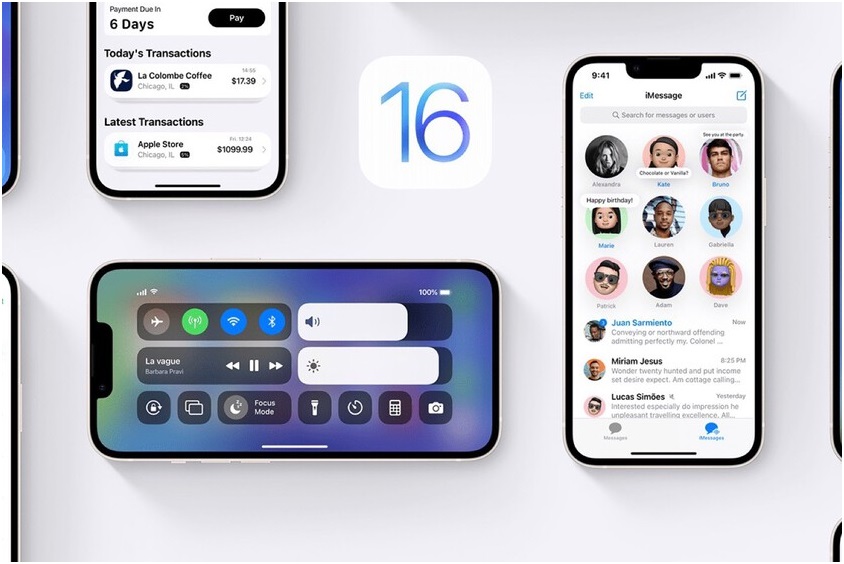
New Features in iOS 16

iOS 16iOS 16 is an upcoming major release of the mobile operating system developed by Apple. The new version of the operating system replaces iOS 15 and will be compatible with both iPhones and iPads. Read on to learn about the new features in iOS 16.
Passkeys

Passkeys are an alternative authentication method for apps and websites. Promoted by the FIDO Alliance, which includes Google and Microsoft, Passkeys use public key cryptography to protect accounts and eliminate the need for passwords. iOS 16 will enable users to authenticate themselves in the background without typing in a password. Apple has provided extensive documentation to developers to help them create applications that work with Passkeys. The public beta of iOS 16 will be available next month, and the official release of the software is expected this fall.

While Passkeys have a number of benefits, they are not suitable for everyone. Unlike passwords, Passkeys require the user to have Face ID or Touch ID in order to access the service. The security benefit of using a passkey over a password is its inability to be guessed, stolen, or forgotten. Apple’s security-conscious customers will also appreciate the privacy and increased security that Passkeys provide.

Another benefit of Passkeys is that users don’t need to configure them separately for every service or app. Users are also freed from the burden of remembering passwords and other security risks that come with traditional password systems. The Passkey system also works across non-Apple devices within range. Passkeys can also be used to protect sensitive data, such as credit card numbers. But there are some caveats. Passkeys are not suitable for all apps and websites.

Apple is working to make Passkeys a universal solution for passwords. Apple says it will update iOS 16 later this year. Google is working on updating its web browser, but that could take longer. But the two tech giants are working together on a practical, secure alternative to passwords. The feature is currently in the beta phase and should be in the final release. The update could also come with Share Sheet extensions. And it’s still too early to tell if Apple will remove the Passkeys feature before the final release.

Improved group texting

The improved group texting experience in iOS 16 will be available for iPhone users soon. The iOS 16 update will fix a design flaw that affected some users. It will now show reactions for iOS users in group conversations, as opposed to just those of iPhone users. As a bonus, iOS 16 will include SharePlay support and editing capabilities for messages. However, iOS users should be aware that the group messaging experience still isn’t as smooth as on Android.

Another major update to the messaging app is the ability to dictate emails and messages to the device’s keyboard. This means that iPhone users can now type with Siri instead of typing. The Dictation tool has been upgraded to allow users to speak content, which is useful if they are writing long messages. The new feature also lets users switch between typing and dictation seamlessly. The feature also allows users to replace typed text with voice-recorded text.

The new feature allows users to mark conversation threads as unread and edit messages. It also allows users to undo sending messages, which is a helpful feature for iPhone users. The feature will also be available to non-iPhone users who don’t want to switch to iMessage. In addition, the new feature allows users to share media content with their contacts. For example, they can share a link to a movie. The other person can watch it while they are talking to them on FaceTime.

In addition to group texting, iMessage will also get a new feature for marking sent messages as unread. This feature is helpful for those who might want to reply to a message later. Face ID support will also be added to the iPhone in iOS 16. The new update will also bring FaceTime and SharePlay to the iPhone. You can also expect iOS 16 to include the ability to share videos. While these features will be available to iPhone users, they will not be available for iPad users yet.

New data types

As Apple rolls out its latest update, iOS 16, developers will have a ton of new features to choose from. Not only will iOS 16 add a new data type called ‘Remote Identifier’, but it will also introduce new features for apps. This update may include new features such as support for casting media to televisions, or AR-based maps of rooms. This article will outline some of the features you can expect in iOS 16.

The new feature called Lock Screen widgets, inspired by Apple Watch complications, lets you see important information at a glance. With Lock Screen widgets, you can view important information, such as upcoming calendar events, battery levels, time zones, and more. Notifications can roll up from the bottom of the screen. Live Activities also lets you track your activities in real time. Whether you’re working out, playing music, or going for a run, you’ll be able to keep track of your activities with Live Activities.

iOS 16 also expands its support for IDs and keys in the Wallet. IDs can now be used for identity verification or age verification. Only the necessary information will be provided to apps. Apple is opening the lookaround feature to third-party developers. Look Around lets users view a street view without the use of a camera, and it also shows transit fares and balances. With iOS 16, you’ll be able to share your home keys securely through messaging apps.

As for new health tracking features, Apple is making a few changes to the notification system. According to Bloomberg, the new features will tie in with the health features in watchOS 9, which will be released later this year. Bloomberg also claims that iOS 16 lays the groundwork for several AR and VR features, including Apple’s first mixed reality headset. While the company is not likely to preview the new device until later in the year, it’s expected to introduce a new version of the wearable virtual reality headset.

Focus Mode

Apple’s new iOS 16 update has a number of notable additions, including a revamped lock screen and a new Mail app. Many of these features were previously announced, but were overlooked in favor of a few new features. For example, iOS 16 adds a new focus mode, which can be turned on by location, schedule, or when you open a particular app. Other enhancements to Focus mode include a separate list of allow and silent notifications, which you can customize by excluding specific applications.

In iOS 15, creating Focus modes was a pain, since you needed to set a certain amount of parameters, such as a list of contacts and applications. This was a bit confusing, and the settings weren’t always immediately obvious. But in iOS 16, the process has been simplified, and it’s even easier to set up than before. The new Focus feature also suggests apps and contacts that will automatically send notifications to your iPhone when you are in Focus mode.

With iOS 16, Focus mode will offer greater customization and is easier to configure. By linking widgets and the lock screen to focus, you can customize the experience. Once you’ve linked the lock screen with Focus, you can switch between the two modes by swiping left on the screen. This means that when you activate Focus, apps will only display content that is relevant to the task at hand. Focus filters will help you find balance while you’re using your device.

While these changes may be more than enough to make Focus mode a useful tool for users, the most exciting new additions to iOS 16 include an API for third-party developers. This API will make it easier for developers to develop apps that will filter content and prevent distractions when you’re using Focus mode. In addition, Focus filters will let you set boundaries within apps, so you can only see the relevant content. If you’re looking to improve your experience with apps, Focus filters are an excellent place to start.

Wallet app

Apple is rolling out new features for its Wallet app for iPhone. The company is taking on PayPal and Affirm with its buy-now-pay-later service. Apple’s announcement sent Affirm’s stock tumbling after it said it would launch the service later this year. Apple will also introduce its own payment system later this month that will allow users to make purchases by tapping an iPhone against another iPhone. This could be a direct competitor to Square, which has seen a massive drop in sales since Wallet was first introduced. Wallet in iOS 16 will also be a useful tool for tracking online orders purchased with Apple Pay.

In addition to the new Wallet app, iOS 16 introduces more privacy and security features. Apple has added new security measures in this update, such as age and identity verification. Users can also add their own keys in their Wallet to keep themselves safer. As Apple is working to create a unified industry standard, it is making it easier to share private keys with apps. However, the new Wallet app doesn’t offer a lot of other new features, so users should make sure that they use it properly.

Apart from new features, the Wallet app for iOS 16 is also getting updates to support new forms of payment. Apple Pay later, for example, allows users to pay for purchases over a period of six weeks without incurring any fees. The service is managed from within the Wallet app, making it easy to track upcoming payments. Users can also track their orders and receive detailed receipts. They can also manage their Apple Pay accounts with the help of this new feature.

Apple has just announced iOS 16 – the software that the iPhone 14 will release with! Here are some of the top new features!


source https://www.gethitch.com/new-features-in-ios-16/

Wednesday, June 29, 2022

Are VPNs Good For Gaming?

VPNs For GamingDo you want to download a Gaming VPN? This article will answer your questions about VPNs for gaming and the advantages of using one. It also discusses whether a VPN is good or bad for your gaming experience. So what are the advantages of using a VPN for gaming? Keep reading for more information! Here is a brief guide to downloading a gaming VPN for your PC or mobile device. Once you have downloaded the app, simply follow the steps outlined on the website to install it.
Gaming VPN

A Gaming VPN can help you stay on top of the action no matter where you are. Since online gaming is so popular, a low-latency connection is vital for a smooth gaming experience. Most of the popular multiplayer games group players into servers based on regions. Using a VPN can allow you to select the location you want to play on, and a new IP address within that region. This will greatly improve your game-play experience.

A No-lag Gaming VPN is another excellent option. It provides high-speed server connections, is compatible with major operating systems, and has military-grade encryption. You can also install the application on your router. It also works on Xbox and Playstation, so no special software is required to run the software. However, keep in mind that some of the best Gaming VPNs cost more than others, so you’ll need to consider the costs before purchasing one.

The setup process for a Gaming VPN varies depending on your device. For desktop computers, you can download the software from the installation page of the VPN service. All you have to do is locate your operating system on the website and click “download.” Once you’ve downloaded the software, run it using the setup wizard. A Gaming VPN for mobile devices can be downloaded from the App Store or Google Play store. After downloading, install it with a few taps.

Does A VPN slow down gaming?

If you are having trouble playing your favorite games, you may be wondering if a Gaming VPN is a good choice. These services will help you bypass the restrictions imposed by your Internet provider. In addition to securing your online privacy, a VPN can improve the route of your traffic. You can also save a lot of time when playing online games because a VPN will reroute your traffic and avoid any congestion.

One reason why using a Gaming VPN might not help you is because your ISP throttles your internet traffic. Most internet service providers apply bandwidth caps during busy periods, whether it’s because of congestion or because they monitor traffic on their networks. This will affect your gaming performance, as some online games consume more data than others. In addition to slowed connection speeds, many of these companies also impose DDoS attacks on their customers.

Another reason why a VPN may cause lag is because it adds an extra connection point to your internet connection. Essentially, your data travels from your PC to your VPN server, and then back to your game server. If your game server does not have enough servers, your VPN will only slow you down. If your ISP blocks a VPN connection, you can try connecting to a different one. But make sure to use a good VPN so that you can enjoy uninterrupted gaming sessions.

Are VPN Good For Gaming

The good news for gamers is that VPNs can help improve their gaming experience. They can reduce ping, which means faster reactions in-game. They also minimize packet loss, which can cause you to get kicked out of a game if there is a large amount of lag. But are VPNs really good for gaming? Let’s take a closer look. Here are some of the reasons why gamers should consider using a VPN.

– They have a large server network. CyberGhost, for instance, offers over 6,800 servers in 90 countries. Their dedicated apps work on most devices, and they support multiple devices at the same time. Because of their large server network, you can connect to up to seven devices with one account. You can even get special deals and coupons that give you a discount for your VPN service. But be aware that some VPNs may not work in your country.

– Ping-time. This refers to the time it takes for video to transmit from one server to another. If your ping time is high, you may be suffering from lag. If your ping is higher than 100ms, you may have to resort to a VPN. But a VPN with low ping speeds will make your gaming experience smoother. So, if you want to stay competitive, consider using a VPN.

Advantages

Using a gaming VPN is crucial for a number of reasons. For starters, this service can improve your gaming experience. Often, the VPN will make it easier to access content that is geo-blocked. This is because it hides your true IP location and makes it appear that you are in the same country as the content. This can help reduce the lag and ping time that you experience when playing games online. Furthermore, a VPN can prevent you from being tracked by people on the internet.

While these advantages are widely known for streaming services, they are often less clear when it comes to gaming. Using a gaming VPN will not make you higher in K/D or help you reach Diamond faster, but it can reduce overall ping and improve connection speed. A reliable gaming VPN will connect you to the closest server so that your game is not affected by the long distance between your device and the game server. The VPN will also provide advanced DDoS protection for your gaming connection, so you can play with confidence that your information is protected.

Another benefit of using a gaming VPN is that you don’t need much technical knowledge to use it. For instance, you don’t need to install any software to set up the VPN. And while it’s true that you can connect to the VPN anywhere, a gaming VPN is especially beneficial if you use a public WiFi connection. If you play on several platforms, you’ll need to make sure the provider you choose supports all the gaming platforms you use.

Disadvantages

If you are a gamer, you should try a gaming VPN. A VPN can help you access other game servers and regions, and it can allow you to play games you wouldn’t normally be able to access. Using a VPN can help you beat the regional limitations on certain games, and you can also play with your friends who live in other countries. Unfortunately, this feature doesn’t come without its disadvantages.

A gaming VPN can improve your gaming experience by encrypting your connection and hiding your IP address. This way, you can play games from any region and avoid IP bans. It can also protect you from DDoS attacks, which can cripple your gaming performance. And while it won’t increase your overall speed, a gaming VPN can help you access games from other countries and avoid being banned for using certain internet services.

Another disadvantage is that a VPN is not effective for certain games. For example, some games use peer-to-peer technology, which can leak your opponent’s IP address. A gaming VPN can protect your connection against DDoS attacks, but this won’t protect your games from being attacked by malicious people. If you’re concerned about being targeted, you can check game developer support pages or forums to see if they’ve implemented any anti-DDoS measures.

Gaming VPN Server

To make sure you play your favorite games with the highest speed and highest quality, you need to choose a good Gaming VPN Server. There are many factors to consider when choosing a gaming VPN, but the main one is location. Choose a gaming VPN with a server that’s not congested. This will prevent lagging and congested servers. Some gaming VPN services have the annoying habit of dropping out of the game. That can cause rage-quits and resentment. In addition, some online game services may even ban players for purposefully disconnecting.

When choosing a gaming VPN, you’ll want to choose one with intelligent routing, which automatically finds the fastest route to the server. The speed should be compatible with your ISP, as this will maximize your connection. Also, the software should be compatible with multiple devices and support games you’re playing. Moreover, the service should be user-friendly for multiple devices. If you plan to play a lot of games on multiple devices, make sure you choose a VPN that has a high compatibility level and a lot of game support.

A good gaming VPN service will help you protect your online privacy, and prevent data logging. If you’re a gamer, a good gaming VPN service will improve your connection, and provide you with more speed and quality. You should also choose a server with excellent privacy credentials and reliable connection. There’s no sense in spending money on a gaming VPN that’s not reliable. If the VPN goes down, your game connection may die and your game will be useless.

Using A VPN For Gaming

Many gamers seek a competitive edge by using a VPN. Using a VPN while gaming allows you to bypass slow internet connections, bypass throttling by your ISP, and increase the speed of your connection. Using a VPN to play online video games is easy, and it can improve your gaming experience. Read on to learn more about using a VPN while gaming. In addition to enhancing your gaming experience, VPNs can improve your overall Internet security.

Most premium VPNs have servers in different regions. Connecting to a server located outside of your regular region is easy. All you have to do is choose the appropriate company and connect to their servers. The VPN will hide your real IP address and allow you to play from any region. This is great for competitive gamers because new games rarely launch in the same country. By using a VPN, you can avoid these problems and access games from countries that block them.

NordVPN is an excellent choice for gaming. NordVPN is based in Panama, is registered in Panama, and maintains zero logs. In addition, this service offers DoubleVPN, Onion over Tor, AES-256 encryption, and a large network of servers. NordVPN also has dedicated P2P servers and supports most of the major gaming platforms. Furthermore, NordVPN offers a 30-day money-back guarantee, which is a great sign of its integrity. Also read Why Using a VPN While Traveling Is Essential


source https://www.gethitch.com/are-vpns-good-for-gaming/

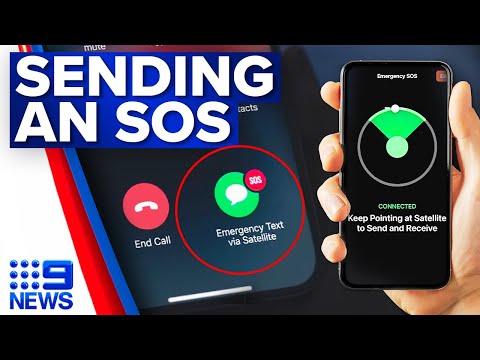
Apple launches new iPhone technology that could potentially save your life

  Apple launches satellite emergency SOS service in Australia and New Zealand Apple has launched groundbreaking technology in Australia w...